
New features in ver 2.3.20
1. Tutorial Text Links Added for “Build it in 30 Minutes!
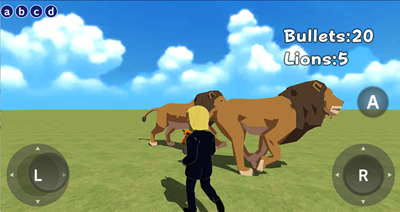
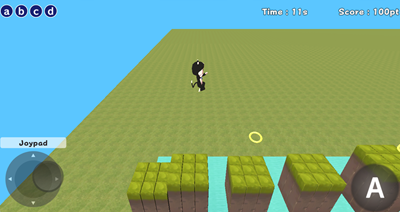
We’ve added links to the tutorial text for our new beginner-friendly labs, “Build it in 30 Minutes.” Using the tutorial text, you can create an introductory shooting game, “Lion Shooting”, as well as a slightly more advanced side-scrolling game, “Mai Jump.”
*Tutorial text is currently available in Japanese only.
2. New Motions
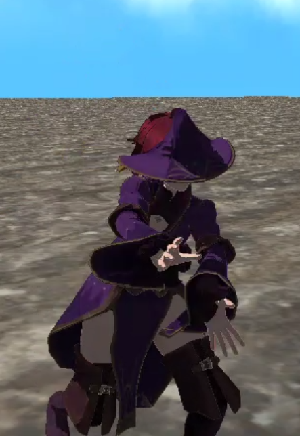
We’ve added 30 new magic motions. You can choose from “Magic” and “Magic (Move) category.”
You can try them out in the lab below:
Create > New objects > 56. Cast Magic While Moving!
3. Block Updates
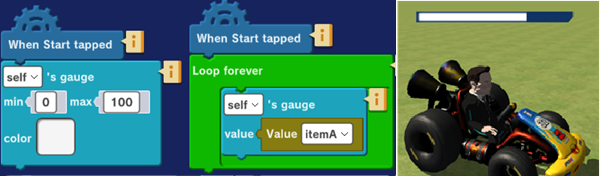
We’ve added a new function to the gauge-related blocks, so now you can display a 3D gauge above a character. There’s no need to add a separate gauge object – just create the program shown in the figure on the left. This is especially useful for showing hit points in battle games.
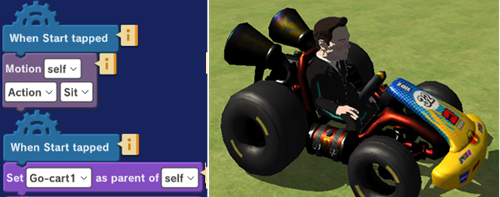
We’ve also improved the parent-child setting block. For example, you can move a character riding in a car just by creating the program shown in the figure on the left.