
[Update] What’s New in Version 2.3.22!
1. New in “Build it in 30 Minutes”: Sun Game!
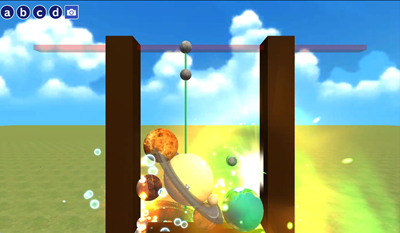
A new game has joined the “Build it in 30 Minutes” lab! In the new Sun Game, you drop planets and watch them evolve into bigger ones. We’ve also prepared an easy-to-follow tutorial that explains how to build the program step by step, so you can jump in with confidence. Once your game is complete, try customizing it in your own style! You can view the guide in the app or from the link provided here.
*Tutorial is currently available in Japanese only.
2. New “PhotoSphere” Material: Wrap Your Favorite Images Around a Sphere!

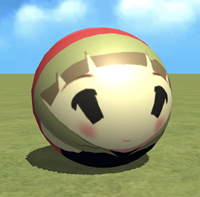
Meet PhotoSphere, a new material that lets you place your favorite photos or images onto a sphere. It’s a fun way to bring your own pictures into your creations and make your world feel more personal!
How to use PhotoSphere
(1) Log in to Locker, open the “Upload” tab, and click “Add.”
(2) Choose an image, give it a name, and save it.
(3) Select “Add Object (+)” > “Material” > “PhotoSphere.”
(4) In the object list, select the “Paste” icon for the PhotoSphere.
(5) Choose the image you uploaded earlier to apply it to the sphere!
Recommended lab to try it quickly
Go to Create > New objects > 57. Use Your Favorite Image!
Then try changing “Photo Board” to “PhotoSphere.”
Add different images and have fun experimenting!
Note: Images applied to PhotoSphere will not be visible to the public when published. If you publish your work, the image will be replaced with the Mind Render logo. If you share it directly with friends using a share code, the image will appear as is.
3. Dance Motions for More Creative Expression!
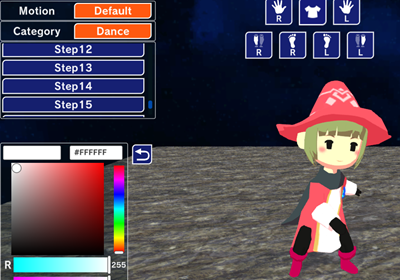
We’ve added 32 new dance motions for characters! Make them dance to music, create formation dances, or build your own lively performance scene. Try making a fun dance creation that surprises everyone!
4. New “Q&A Forum” Category Packed with Helpful Ideas!
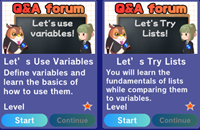
A new Q&A Forum category is now available, filled with useful programming know-how, handy features, and answers to common questions. The first topics cover two areas that many creators find tricky: variables and lists. We’ll keep adding more helpful information, so be sure to check back and use it in your development!
5. Need Help? Ask the New AI Help Feature!

If you have a question while building a program, try asking the new AI Help feature added to the program editor screen. It’s there to support you whenever you get stuck.