
[Update] What’s New in Version 2.3.25!
Thank you for using Mind Render!
In this update (v2.3.25), we’ve added exciting features to make creating shooting games and action adventures more fun than ever. We’ve also made setting up scenes and saving your work much simpler and more convenient.
1. Fire Bullets, Swing Swords! Effortless Action Gameplay
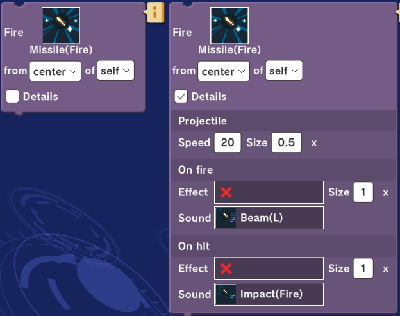
Right: Expanded detailed settings
Shoot & Blast with the New “Fire” Block: Easily shoot projectiles from a character’s weapon or fire arrows from a bow. (Found under the “Effect” category)
Customize Every Detail: Fine-tune bullet speed and size, plus add firing and hit effects or sound effects—all using a single block.
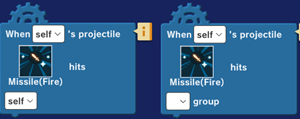
Pair it with the “When Bullet Hits” block to program enemy reactions upon impact. (Found under the “Event” category)
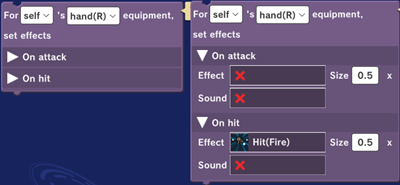
Simpler Battle Systems: Sword and melee collision detection just got a major upgrade! Collision detection now automatically toggle on and off to match your attack animations. Additionally, weapon swings and hit effects/sounds can be configured in one block, letting you create authentic combat scenes effortlessly. (Found under the “Effect” category)
2. Show Collision Shapes Option
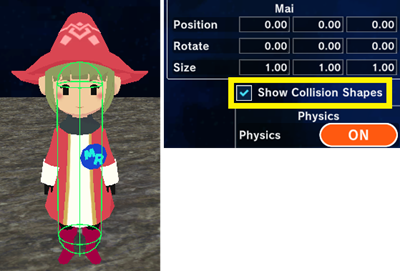
We’ve added a new setting to display collision shpaes on objects directly. You can easily toggle this in the Object Settings screen.
3. Build Your Game World with “Background Mode”
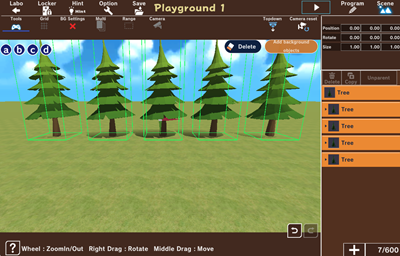
The Scene Editor now features a dedicated Background Mode. Quickly place trees, rocks, furniture, and scenery items as lightweight “background objects” that don’t require programming logic.
4. Batch Adding & Parent-Child Object Linking
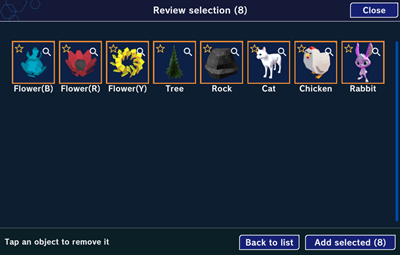
Batch Import: Select and add multiple objects at once to save time.
Parent-Child Linking: Link normal or background objects together respectively so that moving a parent object automatically moves all connected child objects along with it.
5. Save Without Logging In: Introducing “Device Locker”
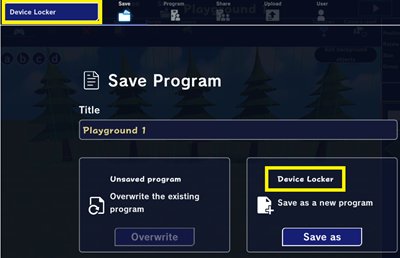
Store Up to 15 Projects: You can now save up to 15 projects locally to your device without needing to log into an account.
Visual Thumbnails: Each project can include a thumbnail preview, making it easy to spot and jump right back into works in progress.
※Important Notice Regarding Project Saves※
We have updated how projects are saved in the Lab. The “Continue“ save option has been discontinued. Please save your important projects directly to Device Locker or My Locker.
6. New Entry in “Build it in 30 Minutes”
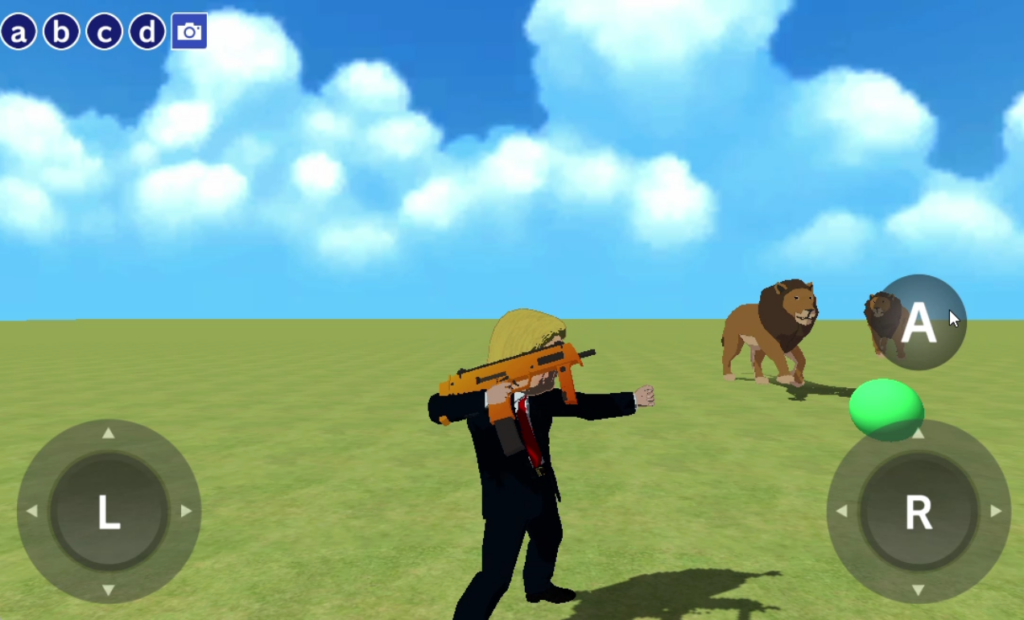
Lion Shooting (Beginner Edition)
Want to make a game but don’t know where to start? This beginner-friendly guide walks you through building a shooting game using basic blocks. Give it a try!
7. Ask AI “GIGA-TETRI” Directly with Blocks
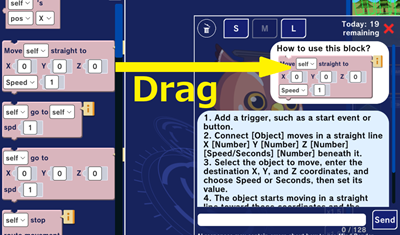
Confused about how a block works? Simply drag and drop any block from the block list directly onto the AI assistant GIGA-TETRI to ask questions about that specific block instantly.
7. Compose Music with MCM (Music Creation by Mind Render)
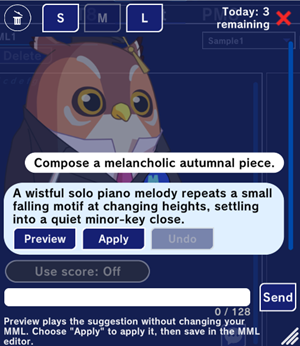
The MML Editor is now even more powerful!
AI-Assisted Composition: Type a prompt like “Compose something like this,” and the AI will generate a track for you. Preview it first, then drop it straight into your project!
New Sound Fonts: Added new presets, including guitar and piano tones.
Note: MCM is still evolving, so results may occasionally differ from your exact prompt expectations.
9. Richer Text Styles & Fonts
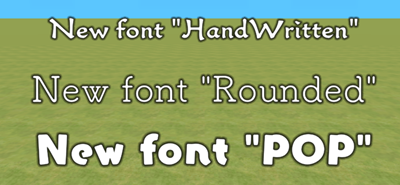
Bring your dialogue and on-screen text to life! We’ve added 3 new font styles: Rounded, Handwritten, and Pop. Choose the design that best matches the atmosphere of your world.
10. Check Variable Usage at a Glance
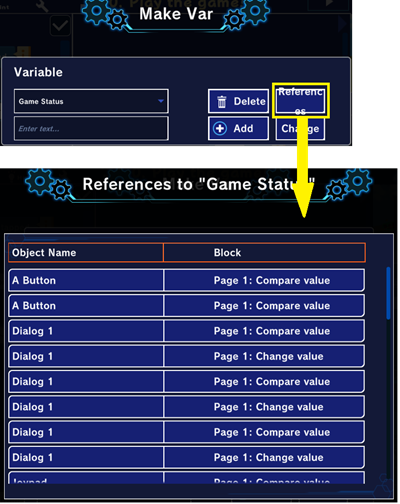
Quickly check where variables, lists, and datasets are used throughout your program. A single click takes you straight to the exact location, making code review and debugging a breeze!
11. Even More Comment Options to Express Yourself!
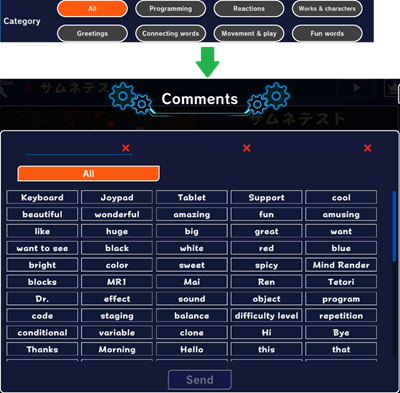
We’ve expanded the preset comment list to 120 variations! Organized cleanly into categories, finding the perfect piece of feedback or encouragement for other creators is now easier than ever.
Bring the games and worlds of your imagination to life with the newly updated Mind Render!